This is an info Alert.
Frontlane
  • ChatGPT Ads
    • ChatGPT Ads

      • Frontlane for ChatGPT Ads

        Set up and run for you

      • ChatGPT Ads explained

        The channel, dated and sourced

      • On Shopify

        Free pixel app, then the ads

      • On WooCommerce

        Free plugin, then the ads

      • Fit check

        Can your store advertise?

      • Account audit

        Already advertising?

    • By industry

      • Baby & kids
      • Gifts, cards & stationery
      • Sporting goods & outdoor
      • Home & garden
      • Furniture
      • Apparel & accessories
      • Food & beverage
      • Health & beauty
      • Pet supplies
      • Toys & games
    • Frontlane for ChatGPT Ads

      Start with the free tracking.

      Install the pixel app on Shopify or the plugin on WooCommerce. We build your first campaign paused; nothing spends until you click.

      How it works
  • Platforms
    • Platforms

      • Shopify

        Selection and measurement

      • WooCommerce

        Our deepest integration

      • Every platform

        Magento, BigCommerce, Wix…

    • Free apps and plugins

      • Pixel app for Shopify
      • WooCommerce plugin
      • llms.txt plugin
  • Dashboard
    • The product

      • The dashboard

        What you see after install

      • Agent traffic

        Which AI agents visit your store

  • Research
    • What we publish

      • Agentic Commerce Index

        Who gets named, by category

      • Prompts

        What shoppers actually type

      • D2C leaderboard

        Brands AI shopping names most

      • Blog

        Guides and comparisons

    • Guides

      • How AI shoppers find brands
      • Why ChatGPT won’t recommend my store
      • Agent-readable product pages
      • Index methodology
  • Pricing
  • About
    • Company

      • About Frontlane

        Who we are

      • Talk to us

        A person replies

Sign inInstall free

Explained · updated [date]

Ads in ChatGPT, explained for store owners

The facts about advertising inside ChatGPT, taken from OpenAI’s own documentation and written in plain words: who sees the ads, how one is chosen, what it costs and how it is measured. This page is not a pitch; that is one link away at the bottom.
Not affiliated with OpenAI. ChatGPT is a trademark of OpenAI.
On this page
  1. Who sees ads
  2. Where the ad appears
  3. Formats
  4. How an ad is chosen
  5. What it costs
  6. Eligibility
  7. Measurement
  8. Interruption vs intent
  9. What can go wrong
  10. Where you come in

Who sees ads

Logged-in adults on the free plans.

Ads are shown to some users, not all of them.
  • Logged-in adult users on the Free and Go plans.
  • Not users on Plus, Pro, Business or other paid plans.
  • Not accounts of people under 18.
  • Only in the countries where ads are switched on: [live list, dated].

As of [month year]. Source: [OpenAI Help Centre article + link].

Where the ad appears

Below the answer, clearly labelled.

ChatGPT writes its answer first. When an ad fits the conversation, it appears below the answer as a separate block marked “Sponsored”, with the advertiser’s name, a title, a short description, a product image and a link to the store. The ad does not change what the answer says.

ChatGPT

example

We’re going to Lisbon in August. What should I pack that won’t be too hot? Something nice enough for dinner out.

August in Lisbon is warm and dry, so pack light, breathable fabrics. A linen shirt works for daytime and dresses up for dinner with chinos. Here’s one option:

<your-brand>

· Sponsored

Breathable Linen Shirt

Lightweight, relaxed-fit linen made for hot weather, machine washable. Under $120.
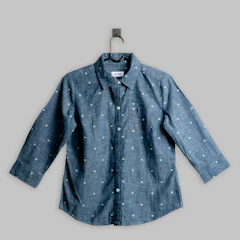
Breathable Linen Shirt
Example only. Your product replaces <your-brand>.

Advertiser name and favicon

Your store name, above the ad. You set it; it must match the business behind the ad account.

The “Sponsored” label

Added by OpenAI to every paid placement. Nobody can remove it.

Title and copy

You write them. They have to describe what is on the landing page and follow OpenAI’s ad policies.

Product image

From your catalog or uploaded with the ad. It has to show the product being sold.

Landing page

Where the click goes, on your own store. OpenAI also reads it when deciding where the ad fits.

As of [month year]. Source: [OpenAI Help Centre article + link].

Formats

Product cards from your catalog, or chat cards written per ad group.

In our experience, these are the two shapes a store’s ad takes today.
Product cards (catalog campaigns)
Built from your product feed and shown as a carousel of products. Good for a broad catalog. In our experience these campaigns target whole countries only.
In our experience
Chat cards
A single ad written for one ad group: your title, copy, image and landing page. Good for a hero product or one buying moment. These can target regions or postcodes.
In our experience

How an ad is chosen

Relevance first, then price.

There are no keywords to bid on. OpenAI matches ads to conversations.
  • The conversation itself: what the person asked and what the answer is about.
  • Your ad: its landing page, title, copy and the context hints you add. Hints describe the moment; they are not exact-match keywords.
  • Personalisation, only if the user has allowed it.
  • Among the ads that fit, a relevance-weighted second-price auction decides which one shows and what it costs.
  • Ad-review crawlers visit your landing page, so the page has to be about what the ad says.

As of [month year]. Source: [OpenAI Help Centre article + link].

What it costs

You set the budget and the bid. OpenAI bills your account.

  • Buy by views, clicks or conversions.
  • Set a maximum bid per ad group.
  • OpenAI’s own starting guidance on cost per click: [figure, dated, with source].
  • Smallest daily budget by currency: [our table, dated].
  • In our experience, reported spend lags real spend by several hours, so read yesterday’s numbers, not this morning’s.

As of [month year]. Source: [OpenAI Help Centre article + link].

The number a store owner actually plans with

Ads plus whoever runs them, as one monthly total. If you hire help, ask for both lines together. Ours look like this:

1

Ads, paid to OpenAI directly: from [$25]/day in the US, [€15] in the EU

2

Frontlane: [Free] for tracking · [Run · US$249/mo] set up, run and weekly review

Never a percentage of your ad spend.

Bigger catalog, more markets, or something unusual? Talk to us.

Worked example at the smallest budget: [daily floor × days + fee = monthly total].

Eligibility

Where you can advertise, and what OpenAI declines.

Countries where self-serve Ads Manager is open

[live list, dated, with source]

Categories OpenAI declines
  • Alcohol
  • Tobacco and vaping
  • Gambling
  • Adult products
  • Health claims
  • Full policy: [link to OpenAI’s ad policies, dated]

As of [month year]. Source: [OpenAI Help Centre article + link].

Measurement

What Ads Manager reports, and what it needs from your store.

  • Ads Manager reports impressions, clicks, spend, click-through rate, cost per click, cost per thousand views and conversions.
  • Conversions need a pixel on your store plus the server-side Conversions API. Without them, Ads Manager can count clicks but not orders.
  • UTM tags stay on the click, so your own analytics can see where the visit came from.
  • Most analytics tools file orders that started in a ChatGPT conversation as “direct”, because the referrer is often missing.

As of [month year]. Source: [OpenAI Help Centre article + link].

Why pay to be there

Organic gets you considered. Ads let you own the moment.

Getting your catalog into a shape ChatGPT can read and recommend is the baseline every store should have. Ads are the other lever: paying to appear under the answer, for the moments you choose, with budget and timing under your control.

Organic recommendations

You become eligible to be recommended

Placement is earned; you can’t choose the question

Slow to move; you compete on your catalog’s merits

The baseline every catalog should have

Ads in ChatGPT

paid

You pay to appear under answers that fit your ad

Show up at the moment of decision, not just be eligible

Budget-driven: turn it up on what converts

Timing and scale under your control

Interruption vs intent

Every channel catches the shopper at a different moment.

Social interrupts a scroll. Search catches a keyword. ChatGPT catches the shopper while they describe what they want, often with the budget, the constraint and the occasion in one message.

Paid social

Meta · TikTokReaches them while

Interrupting a scroll

Paid search

Google AdsReaches them while

A two-word keyword

Ads in ChatGPT

the buying conversationReaches them while

Describing the exact need

The rings show the buying stage, not a performance promise. Results vary by product and category; what is structural is where in the decision the shopper is when your product appears.

What can go wrong

Rules of thumb from the stores we run.

Not OpenAI policy; what we have seen across the stores on our pixel app and plugin.
  • Catalog processing time is erratic. Judge nothing before about 36 hours.
  • Day-one click-through rate is the learning phase, not the verdict.
  • Uploading the whole catalog is not the same as covering the questions shoppers ask.
  • Context hints are not keywords. A hint that names the product instead of the moment tends to underdeliver.
  • A pixel from a different ad account is refused. The pixel and the campaigns must live in the same account.
  • Check stock cover before you scale a winning product.

Where you come in

See how this runs on your platform.

On Shopify
The free pixel app, then the campaigns run for you and reviewed weekly.
ChatGPT Ads on Shopify →
On WooCommerce
The free plugin, then the campaigns run for you and reviewed weekly.
ChatGPT Ads on WooCommerce →
Already advertising?
See your account against the stores we run.
Start the audit →
See it in your category
Baby & kids

“what do I actually need for a newborn in a small flat?”

See the ad →
Gifts, cards & stationery

“a thank-you gift for my kid’s teacher that isn’t another mug”

See the ad →
Sporting goods & outdoor

“what should I pack for my first overnight hike in autumn?”

See the ad →
Home & garden

“the easiest way to add privacy to a small back garden this weekend”

See the ad →
Furniture

“a sofa that fits up a narrow staircase in an old flat”

See the ad →
Apparel & accessories

“something cool to wear to a summer wedding that isn’t a suit”

See the ad →
Food & beverage

“a coffee gift for someone who just bought an espresso machine”

See the ad →
Health & beauty

“a skincare gift set for my sister who travels a lot”

See the ad →
Pet supplies

“a tough chew toy for a teething golden retriever puppy”

See the ad →
Toys & games

“a birthday present for a curious 7-year-old who loves building”

See the ad →
Questions store owners ask

Yes. Ads Manager is self-serve where it is open, and everything on this page applies whether you run it yourself or have someone run it for you. Frontlane exists for store owners who would rather not.

A short line you add to an ad group describing the shopper and the moment the ad is for. OpenAI uses it, with the conversation and your landing page, to decide where the ad fits. It is not an exact-match keyword.

It depends on where Ads Manager is open and on OpenAI’s account rules at the time: [current rule, dated, with source].

In our experience, catalog processing can take anywhere from minutes to more than a day, so we judge nothing before about 36 hours. A chat card written by hand can start sooner than a catalog campaign.

Campaigns can be paused in Ads Manager at any time, and ad spend stops with them. Our own fee terms: [Sri to set].

To start, only the free install on your store (the Shopify pixel app or the WooCommerce plugin). Once you decide to run ads, we ask for access to your ChatGPT Ads account and agree a daily budget with you.

Frontlane for ChatGPT Ads

Start with the free install.

Free tracking for ChatGPT Ads on your store. When you want the campaigns run for you, they run in your own ad account: ads paid to OpenAI directly, plus a flat Frontlane fee, never a share of your spend.

Install free on ShopifyInstall the free WooCommerce pluginTalk to us
Frontlane

Frontlane for ChatGPT Ads: ChatGPT Ads for Shopify and WooCommerce stores, set up and run for you, measured against your real orders. You pay OpenAI directly; our fee is flat.

150+ Shopify stores · 35+ connected ad accounts · 50+ WooCommerce stores
Agentically Inc.1875 Mission St, Ste 103, San Francisco, CA 94103, United StatesTalk to us
  • ChatGPT Ads
    • Frontlane for ChatGPT Ads
    • Explained
    • On Shopify
    • On WooCommerce
    • Fit check
    • Account audit
  • Industries
    • Baby & kids
    • Gifts, cards & stationery
    • Sporting goods & outdoor
    • Home & garden
    • Furniture
    • Apparel & accessories
    • Food & beverage
    • Health & beauty
    • Pet supplies
    • Toys & games
  • Platforms
    • Shopify
    • Pixel app for Shopify
    • WooCommerce
    • WooCommerce plugin
    • llms.txt plugin
    • Every platform
  • Product
    • Dashboard
    • Agent traffic
    • Pricing
    • Sign in
  • Research
    • Agentic Commerce Index
    • Prompts
    • D2C leaderboard
    • Blog
    • How AI shoppers find brands
    • Yotpo alternatives
  • Company
    • About
    • Talk to us
    • Privacy policy
    • Terms of use
    • Acceptable use

© 2026 Agentically Inc. All rights reserved.Not affiliated with OpenAI. ChatGPT is a trademark of OpenAI.
Privacy policyTerms of useAcceptable usellms.txt
Frontlane